How to play surf in CS2
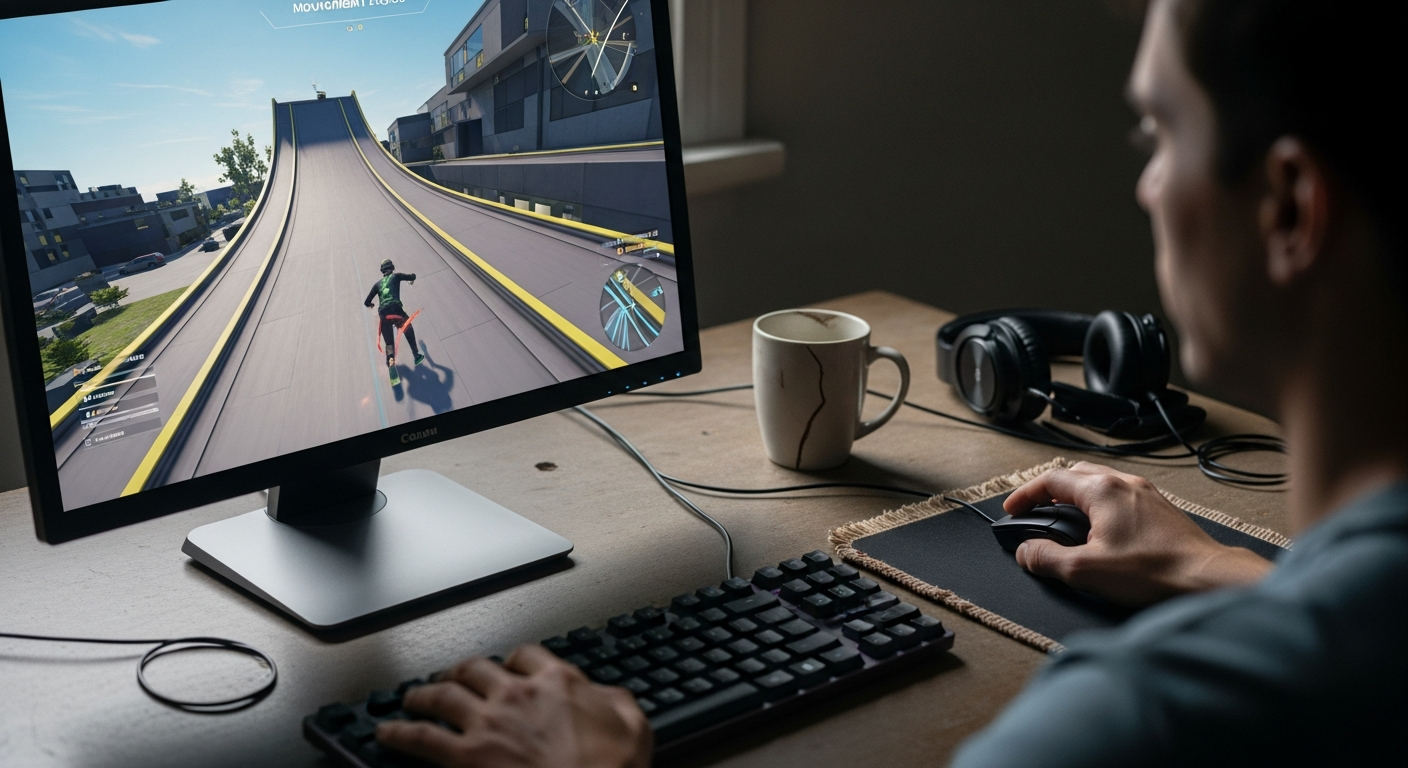
Table of Contents
What is surf in CS2?
Counter-Strike 2 is known for tactical gunfights, but the community has built something completely different: surfing. This custom game mode throws out traditional gun play and team objectives entirely, replacing them with movement mechanics. Instead of shooting enemies, players glide across sloping surfaces called ramps, using the engine’s physics to travel at high speeds.
Getting into CS2 surfing basics means forgetting everything you know about walking or crouching. You move along inclined surfaces by building momentum and using directional strafing, sliding down and across ramps to control your trajectory and reach platforms scattered around the map. It turns a first-person shooter into a high-speed obstacle course.
A lot of players wonder whether it’s worth spending time on a community mode instead of just queuing for ranked. Surfing is genuinely useful as a training tool – it sharpens your movement, which carries over into better positioning and agility in competitive play. And when ranked stress gets to be too much, it’s a solid way to enjoy the game’s physics without any pressure.
How to play surf in CS2?
Before anything else, you need to understand the CS2 surf controls and how to approach ramps correctly. The whole mechanic comes down to pressing the right movement keys while gliding along angled surfaces. Whether you’re practicing offline or connecting through community servers, the inputs work the same way.
The first habit to break is holding the forward key. If you walk straight into a slope while pressing ‘W’, you’ll slide off immediately. Surfing runs on lateral movement and crosshair placement, not forward momentum.
-
Approaching the slope – Walk up to the ramp and position your crosshair parallel to the surface to set a stable angle of approach.
-
Pressing the correct key – Hold the side key that faces the ramp: press A if the wall is on your right, D if it’s on your left. This keeps you attached to the surface.
-
Ramp positioning – Stay near the center of the ramp to keep your balance. Drifting too close to the top or bottom edge will send you flying off.
Players access this mode through community-run servers, not official matchmaking. To find out how to join surf servers, open Counter-Strike 2 and click the globe icon to bring up the server browser. Go to the Internet tab and search for “surf” to see available lobbies.
Staying attached to the walls takes practice. Once it starts feeling natural, you’ll be ready to work on more complex moves.
How to keep momentum on ramps?
The goal on any ramp is simple: stay balanced, build speed, and jump cleanly to the next surface. Knowing how to gain momentum is what actually gets you to the finish line. A smooth approach keeps your speed up; bad crosshair placement kills it instantly.
-
Landing placement – Aim for the center of the ramp to sustain speed. The top and bottom edges will slow you down or throw you off.
-
Gaining velocity – Look down the slope to accelerate.
-
Transitioning – Look toward the top edge when preparing to jump, so you get enough height to reach the next platform cleanly.
Fluidity matters more than anything here. Sudden mouse flicks break your trajectory and cost you control.
How to do air strafing in CS2?
Air strafing in CS2 is what keeps you moving between ramps without losing speed. Once you leave a surface, ground movement stops working. You have to use synchronized key presses and mouse movements to steer through the air, curving around obstacles and lining up your landings.
-
Synchronized inputs – Press ‘A’ while smoothly moving your mouse left, or press ‘D’ while moving it right. The key is matching both inputs precisely to control your direction midair.
-
Releasing the forward key – Let go of ‘W’ the moment you leave the ground. Holding it forward kills your momentum and drops you straight down.
-
Gap navigation – Use gentle curving motions to adjust your path over open space and line up with the next ramp. Hard corrections ruin your speed on impact.
Getting comfortable with these CS2 surf controls takes time, since the timing of your directional switches determines how cleanly you carry speed through the map.
How to find surf servers?
Surf isn’t available in official matchmaking, so you’ll need to know how to join surf servers through other means. There are a few ways to do it, depending on what’s most convenient for you.
-
In-game server browser – Click the “PLAY” tab, open the community server window, type “surf” into the map name filter, and sort by ping to find servers close to your location.
-
External platforms – Sites like play.GG make it easier to find populated maps. Go to their site, click “Play,” select “Surf,” pick a server from the list, and the game will connect automatically.
-
Developer console – Enable the console in your settings, find a server IP from a surfing community online, and type
connectfollowed by the address to join directly without using the browser.
Low ping matters here. Network stuttering throws off your timing on ramps, so always pick the server with the best connection you can find.
Which CS2 surf maps should you try?
Once you have the basics down, choosing the right map makes a real difference in how fast you improve. The CS2 community has built tracks for every skill level, from simple beginner courses to complex multi-stage runs. Trying surf workshop maps offline before jumping into populated servers is a good way to practice without pressure.
Downloading them is straightforward: open the Steam Workshop, search for “surf” under Counter-Strike 2 content, and subscribe to whatever catches your eye. In-game, select Workshop Maps from the drop-down to access them. For beginners, stick to surf beginner maps with wider surfaces that are more forgiving of small mistakes.
-
surf_beginner – Clearly defined stages with increasing difficulty. A good starting point for learning basic transitions and ramp positioning.
-
surf_utopia_v3 – Wide, forgiving angles that make it easier to track your speed while learning how to build momentum.
-
surf_mesa – A longer, continuous layout that bridges beginner and intermediate play. Experienced players still use it to refine their technique.
Surf_Mistune is popular with experienced players for its tighter turns, and Surf_Summer is widely considered the best map in the game right now. For a full breakdown of these layouts, check out the Best SURF Maps in CS2 article. If you’re practicing offline, set up a surf.cfg file to load all the necessary console commands automatically.
What server settings affect surfing?
Default CS2 physics don’t support gliding along ramps. You need specific console commands to change the movement parameters, and these are the foundation of CS2 surfing basics. Community surf servers apply them automatically, but if you’re practicing offline on downloaded maps, you’ll have to enter them manually through the developer console.
-
SV_cheats 1 – Enables advanced developer commands needed to modify the game’s physics settings.
-
SV_reaccelerate 800 – The most important setting for this mode. A high value increases how sharply you can turn while airborne, which is what makes proper air strafing in CS2 possible and lets you stay on the walls.
-
SV_max velocity 7200 – Raises the engine’s speed cap so you can keep building speed on longer ramps without hitting an invisible wall.
-
bot_kick – Removes bots from your local server so they don’t block your path while you’re working on your movement.
None of this affects your competitive matchmaking. Surf commands only apply to custom maps and private servers, so your ranked games stay completely untouched.
What mistakes should you avoid?
There’s a lot of trial and error involved in learning this mode, and most beginners run into the same problems. Catching these early will save you a lot of frustration and help you understand how to gain momentum properly.
-
Holding W or S on the ramp – This kills your momentum immediately and drops you off the surface. Let go of both keys while sliding.
-
Drifting from the center – Staying too close to the edges makes your run unstable and increases the chance of slipping off.
-
Rushing jumps – Launching off a ramp before you’ve found a steady rhythm leads to erratic flight paths and missed landings.
These habits take conscious effort to break in your first few sessions. Once you get the CS2 surf controls right and find a consistent rhythm, the drops in speed will stop happening.
How do advanced surf techniques work?
Mastering CS2 surfing means learning to exploit the game’s physics to maintain speed across increasingly difficult terrain. Once lateral movement and mouse control feel natural, you can start pushing the engine further. Advanced players use specific techniques to clear large gaps, hold top speed, and get through the hardest community tracks.
All of it comes down to timing and understanding how ramp geometry affects your speed.
-
Edge surfing – Riding the very edge of a ramp gives a speed boost that standard sliding doesn’t. It’s a technique experienced players use for tricky transitions that need extra acceleration.
-
Bunny hopping – Pressing jump at the exact frame you touch flat ground prevents speed loss. It’s useful for linking ramps where air strafing alone isn’t enough to carry you across.
-
Dynamic ramp positioning – Beginners tend to stay near the top edge. Experienced players shift from the top down to the center and bottom, using that dipping motion to convert height into forward speed before launching back into the air.
Combining these techniques lets you move through complex track layouts without losing control. With consistent practice, your completion times will drop, and the harder map tiers will start to feel manageable.





Post Comment